Equalify Reflow
A production AI pipeline that turns inaccessible PDFs into semantic, accessibility-first markdown. Built for UIC Digital Accessibility Services and released under AGPL-3.0.
Client
University of Illinois Chicago — Digital Accessibility Services
Engagement
build
Duration
2025

Key Results
- Status
- In production at UIC
- Review
- Change ledger
- Controls
- PII approval gate
- Deployment
- ECS/Fargate
- License
- AGPL-3.0
The Problem
Documents are written in two languages at once: the text on the page, and a visual language of size, weight, position, and spacing that tells a sighted reader what those words mean structurally. Big text, centered, top of page? A title. Small italic text under an image? A caption. Sighted readers translate between the two languages without thinking. A screen reader, or any program that only sees the text, can’t.
Academic PDFs make this worse. They’re closed-format, visually authored, and remediated inside proprietary tools — slow, fragile, and expensive. Manual remediation can become slow and expensive at course-catalog scale, especially when documents need repeated updates. Universities ship hundreds of them into LMSes every term, and the math does not work at the scale of a course catalog.
UIC’s Digital Accessibility Services unit came to us needing remediation at the scale of a curriculum, not a chapter — and an output format that wouldn’t degrade back to inaccessible the next time anyone exported it.
The Approach
Modern AI models can read both the visual language and the text. They can look at a page the way a sighted reader does and produce a structured, machine-readable version of it. That capability is the translation accessible documents need — but a model that can translate isn’t the same as a system that does translate reliably. A bilingual dictionary contains real knowledge; it doesn’t make you a translator.
Equalify Reflow is the system around the model. Instead of fixing PDFs in place, we extract content out of the PDF entirely and reauthor it as semantic markdown — a format that’s human-readable, screen-reader-readable, and machine-readable in equal measure. The PDF stops being the source of truth; the semantic representation does. The user agent — a screen reader, a CMS front-end, a refreshable braille display — gets to decide how to render it.
The Pipeline
A submitted PDF moves through a versioned five-stage pipeline. Agents do not share memory; every stage reads and writes through a versioned ledger of pipeline outputs, so each step’s input is reproducible from the prior step’s recorded output.
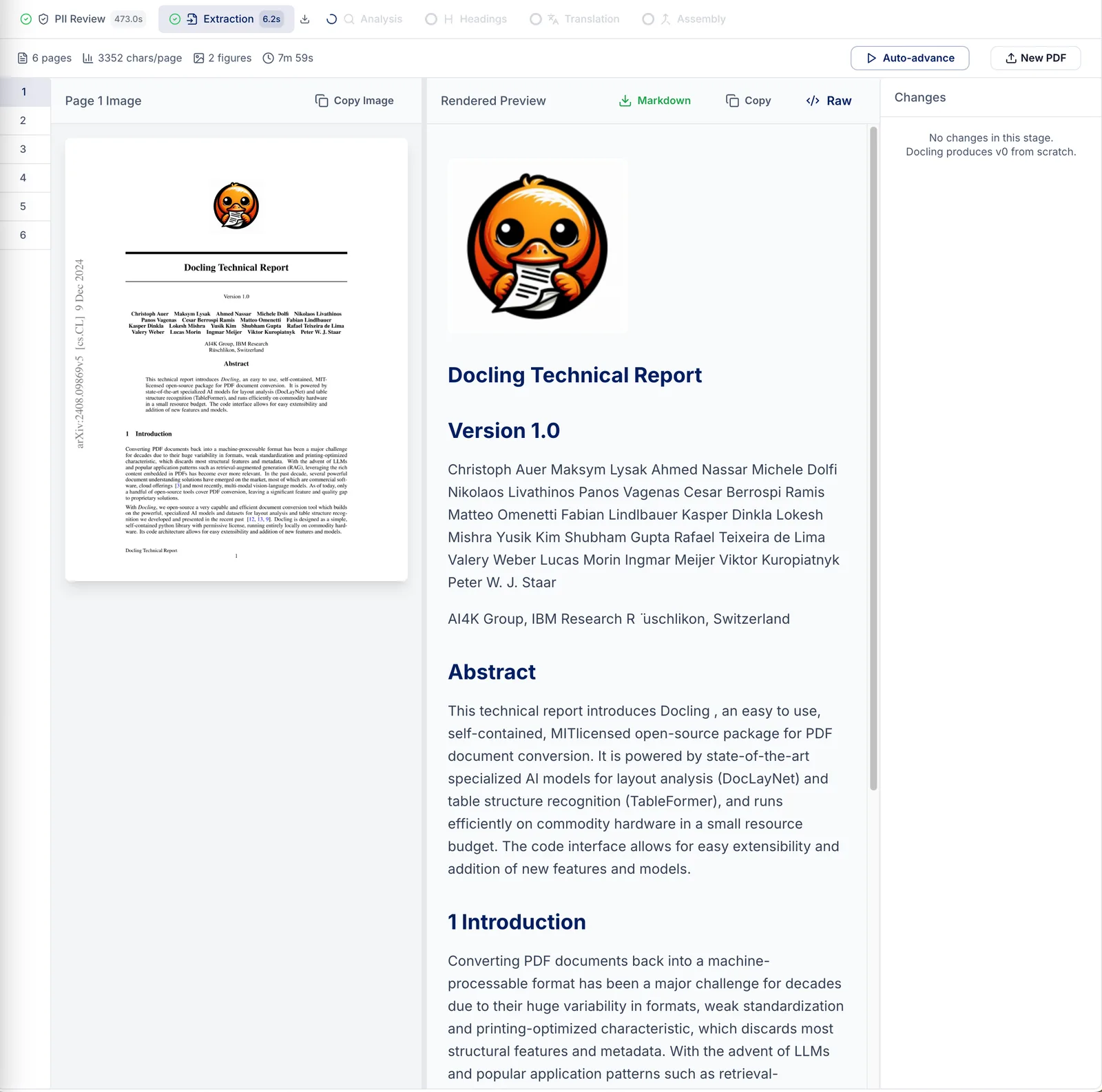
- Extraction. IBM Docling parses the PDF — text, layout, tables, figures — using the structural information already inside the file (or OCR for scanned pages). This gets us about 70% of the way there before any AI is involved.
- Analysis. The system classifies the document — academic paper, syllabus, poster, flyer — and builds a working summary: heading outline, per-page layout notes, where footnotes live. That summary is carried forward so every later stage has the full document’s context, not just the page in front of it.
- Headings. A correct heading outline is the backbone of an accessible document — screen reader users navigate almost entirely by heading. So the outline comes first, with the AI studying visual cues across the whole document to keep the structure consistent from start to finish.
- Translation. For each page, the AI is shown the page image and the current text draft side by side, and edits the draft to faithfully match what a sighted reader sees. Specialist sub-agents take over for image descriptions, tables, and lists — work that benefits from focused expertise.
- Assembly. The final pass joins individual pages into one continuous document and smooths the seams: words split across pages, tables chopped in half, footnotes stranded far from the sentence they belong to. The result flows naturally on any screen size, with accessibility built in rather than bolted on.
The Change Ledger
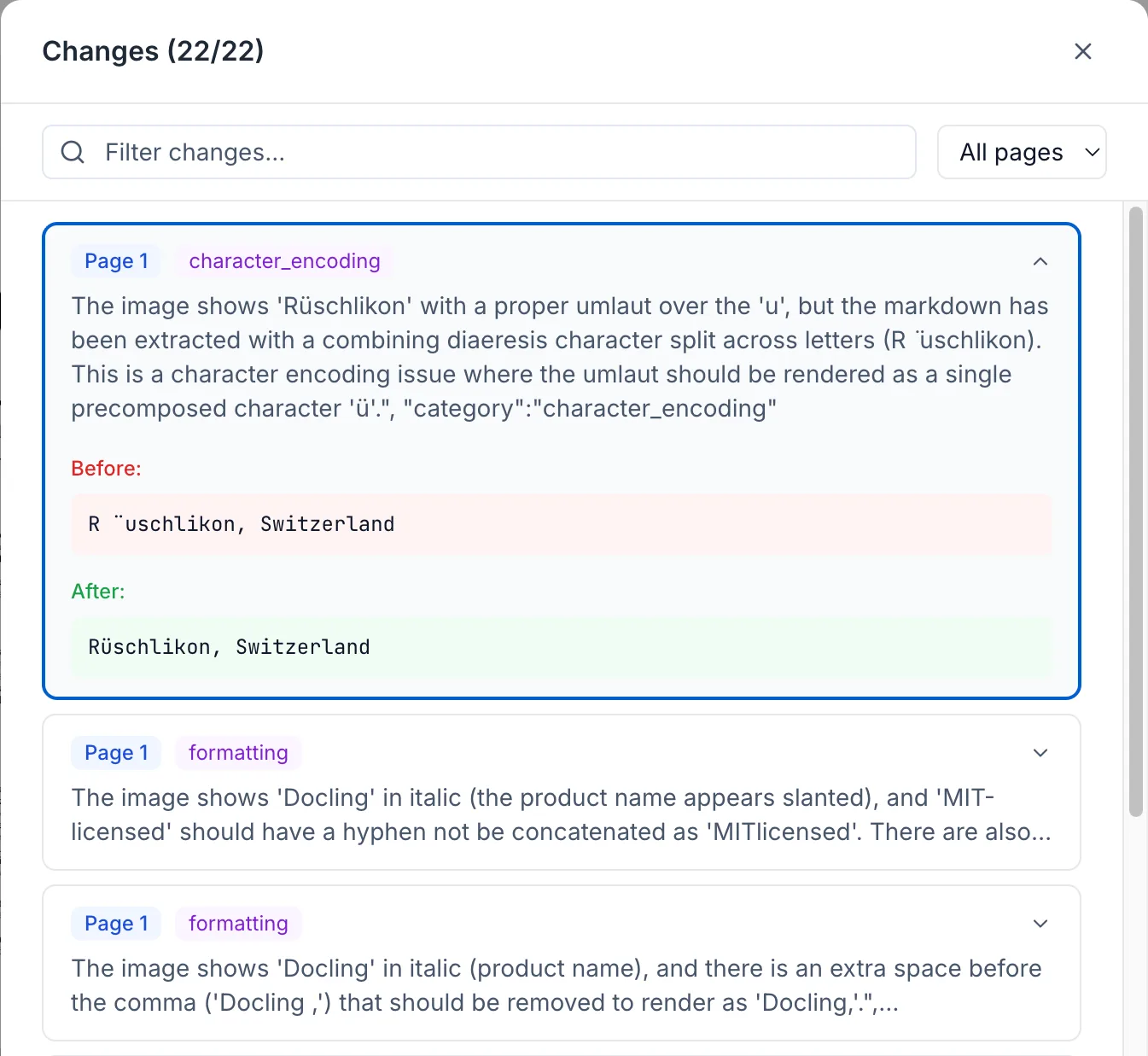
Every edit the pipeline makes is recorded with three things: what changed (text before and after), why (the agent’s own explanation), and where (which page, which element). The ledger turns the conversion from a black box into an audit trail — a reviewer can inspect every change before the document is finalized, and the trail exists for later questioning regardless. For accessibility work, where wrong remediation can be worse than no remediation, this kind of explicit accountability isn’t optional.
The Stack
- FastAPI async monolith in Python
- PydanticAI structured-output agents — every agent emits a typed Pydantic model, not freeform text
- Claude 4.5 via AWS Bedrock (Haiku as the default tier, Sonnet for heavier analysis); Anthropic API as a swappable backend
- IBM Docling for extraction (with OCR for scanned pages)
- Microsoft Presidio for PII detection, with a human-in-the-loop approval gate before any AI processing
- Redis for job state, atomic Lua-scripted transitions, rate limiting, and SSE pub/sub
- Prometheus + Grafana (metrics) and Jaeger (traces); optional Logfire for agent-level traces
- React + Vite + TypeScript + Tailwind viewer SPA with table of contents, full-text search, and screen-reader landmarks
- Production: ECS Fargate behind an ALB, ElastiCache Redis, S3, blue/green deploys via CodeDeploy
The Hard Parts
AI orchestration is easy to demo and difficult to ship. The work that doesn’t show up in a screenshot:
- Agents that don’t share memory. Each agent’s input is the explicit, versioned output of the prior phase, not an opaque growing context. Errors become attributable; runs become replayable; the system can be reasoned about phase by phase.
- Structured output, not freeform text. PydanticAI enforces typed Pydantic models on every agent. Hallucinated structure can’t survive validation, and downstream phases get exactly the schema they were promised.
- Observability for agentic systems. Tracing AI workflows is still a research-grade problem in most production AI work. Prometheus, Grafana, and Jaeger across the full stack — with optional Logfire for agent traces — make failures diagnosable instead of mysterious.
- PII as a first-class concern. Academic content can include student names, grades, and ID numbers. The Presidio scan plus approval-gate combination is what makes “automate this” defensible at a university — and the pipeline never lets an unreviewed document past the gate.
What This Proves
Reflow is the kind of system that separates a demo from a production AI engagement. The visible output is accessible markdown, but the real work is the operating structure around it: document ingestion, versioned state, specialist agents, human review, privacy gates, deployment, observability, and evidence that survives later inspection.
That pattern applies beyond PDFs. Any AI workflow that has to survive review needs the same discipline: representative inputs, explicit procedures, validation, review gates, and a change ledger that makes the system explainable after the fact. For teams working under accessibility, procurement, or governance review, those details are not polish. They are the product.
Background
Equalify Reflow was built for UIC’s Digital Accessibility Services as part of the Equalify project, with Enablement Engineering as the lead engineering practice. Before founding Enablement Engineering, our lead engineer was Lead AI Engineer at Deque Systems — the company behind axe-core, one of the most widely used accessibility testing engines — where he led AI engineering work on axe Assistant.
Production Use
Built in 2025 and in production at UIC, processing course materials under UIC’s review process. Documentation is open at EqualifyEverything/equalify-docs, and the system was built for release under AGPL-3.0-or-later.
Speaking
This work was presented at CSUN Assistive Technology Conference 2026 in the talk Escaping to Semantic Freedom, and at A11yNYC — watch the A11yNYC recording.
Need a reviewable AI workflow?
Bring the workflow, content, review process, and failure modes. We will help decide whether discovery is the right next step.